I have found myself in a strange intersection of interests. I’m currently on a Mac but i also enjoy NixOS/nix and i manage both my Mac and my servers with it. But i also maintain a bunch of WarCraft 3 mapping related projects1. So while i am not really developing maps these days, it is from time to time helpful to double-check if pjass actually agrees with the built-in syntax checker or if a native does what we documented it ought to do. Here’s the catch though: while WarCraft 3 runs perfectly fine on MacOS, Blizzard does not ship the WorldEditor, which is normaly used for making maps, on Macs.
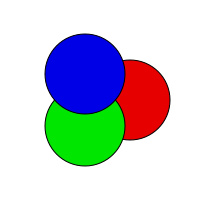
So out-of-the box i could not investigate any issues with pjass or any other of my projects. Fortunately i cobbled just enough support together over the years to make testing some scripts possible. Do note though that this is far from real map making; i have no way to edit terrain or objects. But for me editing and testing scripts is enough. And we do have some goodies for the map script. pjass of course for syntax checking but the big one is jass hot code reload which allows me to continuesly edit the map script and load it into a running wc3 instance to skip the costly startup.
To achieve this i have two shell scripts, jhcr-start
and jhcr-update.
jhcr-start takes a path to the map script file and a base
map file, both with sensible defaults for my setup. If you were to look
at these scripts you would see that i use a bunch of different programs,
pjass of course. jhcr as mentioned but also
mpq. That is my own bad mpq implementation which can
only append files to an archive. Which is fine for my purposes. But if i
ever want to trim my map file i can use compressmpq to repack the
archive again.
That’s quite a lot of custom programs needed aswell as the
$JASS_FILES environment variable which points to a
directory containing the current common.j and
Blizzard.j2. To string everything together i
finally come to the last category of the venn diagram: nix! To
get a fully working development shell i can just type
nix develop github:lep/wc3-nix and get the scripts set-up
ready to work. But i wager that i am alone in that intersection and
there are probably better setups for most map makers out there.
But the scripts themselves for example don’t have any reference
to nix so if you were to gather the tools in your $PATH you
could have a very similar or even the same workflow as me. Then there is
also Zezulas MPQ
Editor as an alternative to my crappy mpq cli utility.
But yeah, that is my current wc3 “mapping” setup.